Friday, October 2, 2020

Best Galaxy Tab S7 Plus Deals: Where to Buy the Galaxy Tab S7 Series in the US

The Galaxy Tab S7 Plus is here, and we can tell you it’s damn good. It’s even shown our reviewer the light and had him sell his iPad Pro. It’s just that great. This premium tablet comes at a premium price, but we can help you save with some Galaxy Tab S7 Plus deals.

The 12.4-inch Super AMOLED screen will make everything you view on the Tab S7 pop, and the 120Hz refresh rate will make sure anything you watch will play smoothly. The Pro’s 6,000mAh battery even manages to last a day of heavy use, even with all the bells and whistles that it offers. On top of that, who doesn’t love the S-Pen, which comes with the Tab S7, and works seamlessly with the tablet? It even… has a camera, if you’re into that on your tablets. You really can’t go wrong with choosing the Galaxy Tab S7 or Tab S7 Plus.

If you’re in the US and looking for the best Galaxy Tab S7 Plus deals, we have them below!

Where to buy the Galaxy Tab S7 in the US

You can pick up a Galaxy Tab S7 at all the usual suspects in the US. You can go with Amazon, Samsung, or Best Buy with their own sets of deals, or go to Verizon or AT&T for possible 5G coverage and bundles!

Amazon

The Galaxy Tab S7 is available at Amazon! You can pick between three colors (silver, bronze, and black), two memory capacities (128GB and 256GB), and whether or not you want a keyboard cover. While Amazon doesn’t have as many deals as their competitors, they still win in one factor–convivence. Picking up a Galaxy Tab S7 from Amazon means that you can get it via Prime Shipping. Also, if you have a Prime Rewards Visa, you can sign up for than 18-month payment plan.

    Samsung Galaxy Tab S7
    For the most hassle-free way to pick up a Wi-Fi Tab S7, go with Amazon. Enjoy a variety of options and free Prime Shipping!

Samsung

At Samsung, you can save big on the Tab S7, depending on how you want to buy. If you pay for the entire tablet today, you’ll save $450. No strings attached! That will bring the 128GB model down to just $200, or you can get the beefier 512GB version for $380. If you can’t pay for the tablet outright, you can get the total of the 128GB model down to $5.56 a month for 36 months with an eligible trade-in!
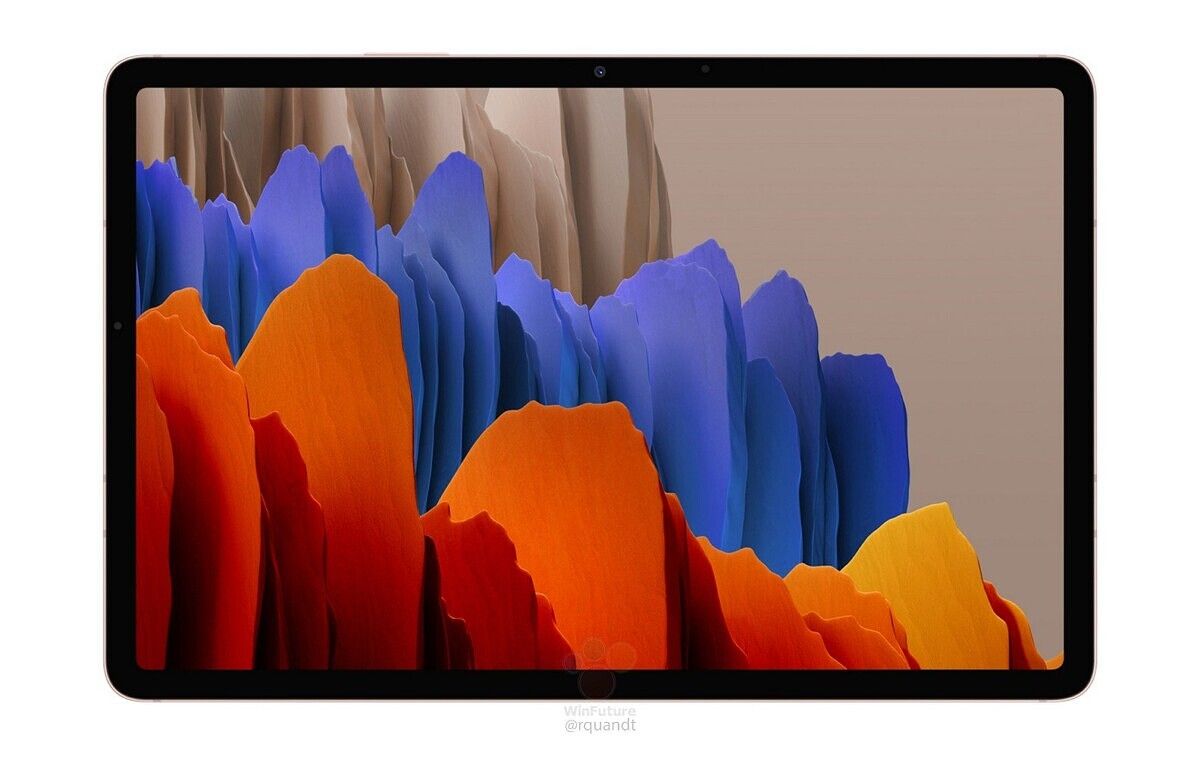
    Samsung Galaxy Tab S7
    Save $450 on a Galaxy Tab S7 when you buy it straight out! If you prefer a payment plan, you can get the 128GB model down to $5.56 a month for 36 months with an eligible trade-in.

Best Buy

Best Buy also has the Galaxy Tab S7 in stock, but currently, they don’t have much along the line of deals for the device. Picking up the Tab S7 at best Buy will allow you to save 50% on a keyboard cover, if you’re looking to buy, as well as a free six-month subscription to Webroot Internet Security with Antivirus. It’s up to you whether those deals are worth it over Samsung’s offerings or Amazon’s convenience!

    Samsung Galaxy Tab S7
    Best Buy is offering the Galaxy Tab S7 Wi-Fi for full price, but you can save 50% if you're looking to bundle them together. It's a worthwhile deal if you're looking to turn this into a pseudo laptop!

Verizon

Looking for a 5G tablet so you don’t need to worry about Wi-Fi? Verizon has you covered. the 128GB black version of the Tab S7 for $850. As always, though, there are deals you can try to take advantage of! If you have another non-WiFi tablet to turn in, you’ll save $100 on the price. Also, if you’re buying an eligible phone, you’ll save $150. Finally, if this is a new line, you’ll save $100. If you can take advantage of these deals, then this is the best place to get the 5G Tab S7.

    Samsung Galaxy Tab S7 5G
    This is the 5G version of the Samsung Galaxy Tab S7, and you can pick it up from Verizon for $849. Seem a bit steep? You can try and save some money by taking advantage of Verizon's myriad offerings!

AT&T

Not a fan of Verizon? AT&T also has the 5G model of the Tab S7 in stock. With them, you can save $50 on the overall price on both the tablet and a pair of Samsung Galaxy Buds Live. If you were already with AT&T and really want a 5G tablet, this will be your best bet.

    Samsung Galaxy Tab S7 5G
    If you're already part of AT&T, you can pick up a 5B Tab S7 with them. Grab both the tablet and the Samsung Galaxy Buds Live, and you'll save $50.

Where to buy the Galaxy Tab S7 Plus in the US

For the Galaxy Tab S7 Plus, you can grab it at Amazon, Best Buy, or Samsung’s store. For some reason AT&T doesn’t have the S7 Plus, so for 5G, you can go with Verizon.

Amazon

As always, Amazon may not have all of the deals for the Galaxy Tab S7 Plus, but they have the most variety and the most convivence. Prices starting at $930 (which happens to be $100 off MSRP) are still a bit steep, but you and mitigate the wallet pain a bit with the 18 month Amazon Prime Rewards Visa payment plan. You can pick from three memory capacities, three colors, and whether or not to get a keyboard cover–all with free Prime Shipping.

    Samsung Galaxy Tab S7 Plus
    Go with Amazon for the best choices and maximum convenience. With three colors, three memory capacities, and the option to bundle in a keyboard cover, you can't really argue with the easy nature of buying now and free Prime Delivery.

Samsung

Good news, Samsung Store fans–the same deals that apply to the Galaxy Tab S7 also apply to the Tab S7 Plus! That means, if you buy it outright, you’ll save a massive $450. That brings the 128GB model to just $400! If you need a payment plan, you can cut down the monthly cost with an eligible trade-in.

    Samsung Galaxy Tab S7 Plus
    You can pick up your Samsung Galaxy Tab S7 Plus from Samsung's website with $450 off or saving on a trade-in! This is probably the best deal on the Tab S7 Plus, if you can pay for the tablet outright.

Best Buy

If you’re not big on Samsung’s store, you can find a bit in terms of savings at Best Buy. If you are grabbing a Galaxy Tab S7 Plus, you can save 50% on a keyboard cover, and get a free six-month subscription to Webroot Internet Security with Antivirus. While it doesn’t beat Samsung’s deal, Best Buy does offers some discounts over Amazon and also has an 18-month payment plan to take advantage of.

    Samsung Galaxy Tab S7 Plus
    Grabbing the Galaxy Tab S7 Plus at Best Buy means you'll be able to save on a keyboard cover and get some free internet security software.

Verizon

Want a 5G Galaxy Tab S7 Plus, not a Wi-Fi one? Then Verizon is where you’ll have to head on over to, with the best deals on the 5G tablet. The tablet starts at $1,050, which is really pricey, but you can tack on one or more deals to bring it down a bit. If you have another non-WiFi tablet to turn in, you’ll save $100 on the price. Also, if you’re buying an eligible phone, you’ll save $150. Finally, if this is a new line, you’ll save $100. Yes, these are the same deals as the normal Tab S7, which also means that if you can stack some of these discounts, you’ll get a great price on the Tab S7 Plus.

    Samsung Galaxy Tab S7 Plus 5G
    Want the Galaxy Tab S7 Plus with 5G? Head over to Verizon and take advantage of some of the deals available for this powerful tablet.

The post Best Galaxy Tab S7 Plus Deals: Where to Buy the Galaxy Tab S7 Series in the US appeared first on xda-developers.


from xda-developers https://ift.tt/3jQasrp
via IFTTT

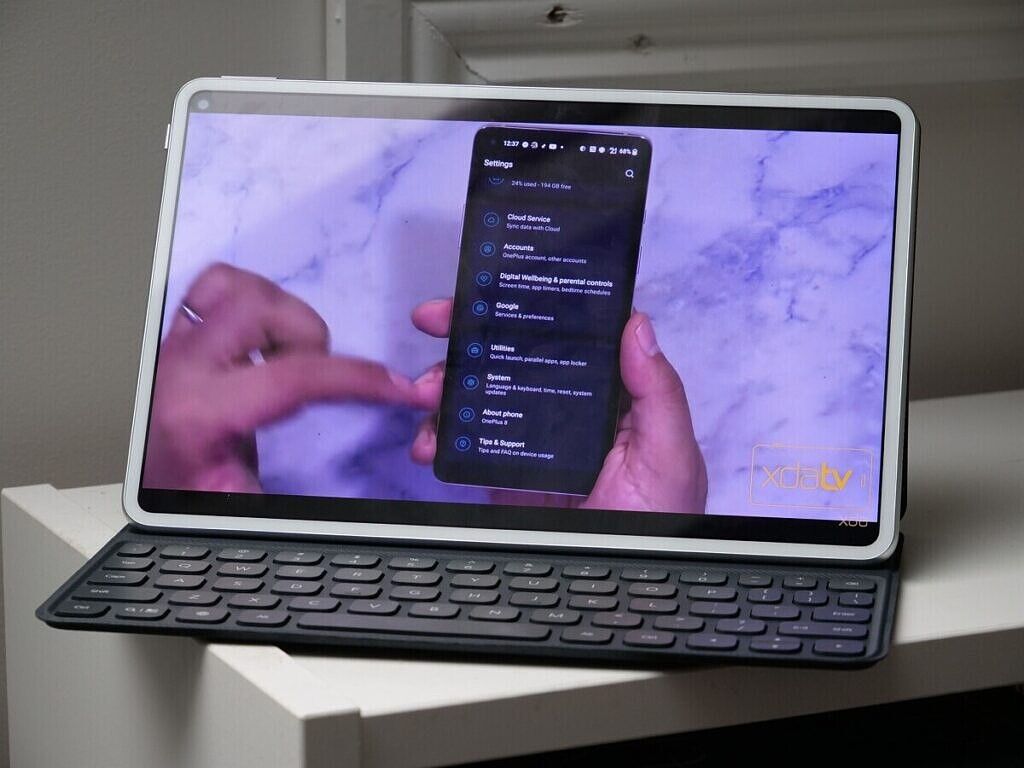
Huawei MatePad Pro Review: A Premium Tablet made better with Google Apps

Chinese tech giant Huawei has been caught at the center of the trade dispute between the U.S. and China. Since the trade ban went into effect, Huawei’s latest offerings don’t feature Google apps and services out of the box. That includes Huawei’s current flagship tablet model, the Huawei MatePad Pro, which is unfortunate because it offers one of the best tablet experiences on the Android market today… if you can get around the lack of apps.

About this review: Huawei sent us the Huawei MatePad Pro along with the keyboard case for review at the end of July 2020. The company did not have any input in the contents of this review.

Huawei MatePad Pro Forums

Huawei MediaPad Pro specifications

Specification Huawei MatePad Pro 5G
Dimensions & Weight 246.0 (W) x 159.0 (H) x 7.2mm (D)

460g (Wi-Fi, LTE, 5G)

Display
  • 10.8-inches
  • 2500×1600
  • IPS LCD
CPU & GPU HiSilicon Kirin 990:
  • 2x Cortex-A76 @2.86GHz
  • 2x Cortex-A76 @2.36GHz
  • 4x Cortex-A55 @1.95GHz

Mali-G76 MP16 GPU

Fabricated on TSMC’s 7nm+EUV process

RAM & Storage 8GB LPDDR5 RAM + 256GB UFS 3.0 storage

Expandable storage (up to 256GB nano memory card)

Sound Quad Speakers

Tuned by Harman Kardon

No headphone jack

Battery & Charging 7,250 mAh

40W fast charging

15W wireless charging

7.5W reverse wireless charging

Security No fingerprint sensor
Rear Camera 13MP f/1.8 main

LED flash

Front Camera 8MP f/2.0
Ports USB Type-C
Connectivity 5G, LTE, Wi-Fi 6 (802.11 a/b/g/n/ac/ax), Wi-Fi Direct, Bluetooth 5.1
Sensors Accelerometer, compass, gyroscope, light sensor, hall sensor
Software Android 10 with EMUI

A sleek build

The Huawei MatePad Pro features a sleek build, featuring an all-glass back with a small protruding camera at the top. On each end at the top and bottom are two pairs of speakers, making for a quad-speaker setup.

The power button is situated at the top above the camera cut-out, while the volume rocker is to the right of it.

The tablet itself is extremely light, despite its size and feature package. The stylus you can also pick up for the Huawei MatePad Pro can charge from the side of the device, attaching to one of the four edges to charge. This is the same way the connected keyboard is powered.

A beautiful 10.8-inch media consumption machine held back by software

One of the most important aspects of a tablet is the screen. If you wanted a phone, you’d buy a phone, so the differentiating feature of a tablet is the larger display. The Huawei MatePad Pro’s display quality is adequate, and it gets nice and bright too. There’s a hole-punch cut-out for a selfie camera, which feels a little bit out of place. I understand that some people may want to use a tablet for video calls to replace a laptop, though. The 10.8-inch display on the Huawei MatePad Pro is one of its best features, and I love using it for watching videos. It’s just 60Hz though, which is disappointing but not surprising since Huawei has been relatively slow in adopting higher refresh rate panels. (The Huawei P40 Pro and P40+ were the company’s first devices to feature higher-than-60Hz panels.)

Huawei MatePad Pro for YouTube

The quad speakers tuned by Harman Kardon sound really good, and are perfect for watching TV shows, movies, or YouTube videos. They don’t beat a dedicated speaker, obviously, but they’re impressive for a tablet’s built-in speakers.

I do have one major gripe with the Huawei MatePad Pro’s display experience, though, but it has nothing to do with the actual hardware. I’ll get into this more in the software section, but the Widevine DRM level is 3. Because of this, you’re restricted to watching Netflix and Amazon Prime in standard definition. That’s not a big deal if you use other streaming services such as YouTube or Plex, but it’s something to keep in mind if the majority of your media consumption is on a platform that enforces Widevine L1 DRM for HD streaming.

Whenever I’ve wanted to watch something on Netflix, this has been enough of a deterrent to make me put down the Huawei MatePad Pro and get my laptop. If you think it’ll bother you and you watch a lot of DRM-protected content, then this isn’t the tablet for you. Huawei’s software woes have gone so far as to affect the content they can show on the screen.

Performance that packs a punch

The Huawei MatePad Pro features the Kirin 990 SoC with the Mali-G76 MP16 GPU. The Kirin 990 is a flagship SoC, the same one driving Huawei’s flagship smartphones this year. I’ve had no lags or stutters, and everything runs perfectly. Because of driver compatibility issues, the MatePad Pro isn’t as performant in retro game console emulators to the same degree that tablets with Qualcomm chipsets are, so you won’t be playing any Nintedo GameCube, 3DS, or Wii games here. Most tablet buyers won’t be doing that anyway.

Apps launch fast and most built-for-Android mobile games run without frame drops. It’s a flagship tablet with a flagship processor, and if it didn’t provide the performance you’d expect from its flagship specs, then there would be an issue. Thankfully, there isn’t. Overall, if you’re picking up a Huawei MatePad Pro, you shouldn’t be worried about performance.

EMUI without Google Apps?

So to preface this section before we get into the software experience on the Huawei MatePad Pro, I should clarify that I have sideloaded Google Apps on my unit. I do not know if this will be possible in the future as the software version on my unit is old. However, I did make sure to use the Huawei AppGallery primarily at first just to get a feel for what a modern Huawei experience is like. I’m sad to say that it hampered my enjoyment of the tablet.

Let me be clear with one thing: This tablet can offer a great experience… with Google apps. Without Google apps, things are a bit more complicated. Trying to download the apps that I want to use often means downloading from multiple different sources, which is somewhat helped by Petal Search. I would consider myself tech-savvy, but I can’t imagine how difficult this may be for someone who is not.

Petal Search will find apps for you that aren’t on the AppGallery from trusted third-party sources. It does do the job as I was able to find most apps that I was looking for from sources that I recognized. Looking for my banking app, though, I found that Petal Search could only find it from sources that I didn’t recognize, and looking them up yielded very few results as to the trustworthiness of the source.

However, there is an alternative to those who don’t want to try and mess with installing Google Apps, and for those who don’t want to try and deal with Petal Search either. It’s called Aurora Store, and it can be found on the XDA Forums. How it works is pretty simple—it’s a third-party, open-source apps for accessing the Google Play Store, giving you access to all of the apps and games hosted on there. You can spoof your device, location, install updates, and you don’t even need Google Play Services for it to work. There’s just one thing to be mindful of, and that is the potential risk to your Google account should you sign-in. You’re technically violating Google’s TOS by using Aurora Store with your Google Account, after all. While you can use the app without a Google account, you won’t be able to download your already-paid apps if you do so.

Aurora store

Aurora Store (Free, XDA Labs) →

But let’s say you’re someone who has managed to figure all of that out, and you’ve set up the Huawei MatePad Pro with all of your apps that you want to use and all of your games you want to play. The next issue you’ll face is that SafetyNet Attestation won’t pass, so you won’t be able to use any banking apps or games that enforce it. Sadly, even setting up Google Apps won’t rectify that, and nor will it bump up your Widevine DRM level from L3 to L1.

As for how to set up Google Apps on the Huawei MatePad Pro, it can really depend on what software version you’re on. I tried the guide below, but your mileage may vary as I’ve heard this may not work for every software version.

If you can get around the lack of apps one way or another, the Huawei MatePad Pro is a fine tablet. It’s a great device for watching YouTube and local videos, and it has worked as a media consumption device when it was all that I could fit in my bag. The Huawei MatePad Pro is also a much lighter alternative to my laptop, making it a decent option for getting some work done. I wouldn’t use it as a permanent laptop replacement, but most of the time, it does what I need.

EMUI and productivity

The Huawei MatePad Pro has a number of productivity-focused features that make it a viable competitor to other premium tablets. I didn’t have the stylus accessory for review, so I couldn’t try out the tablet’s note-taking capabilities for use in university. However, I’ve had no issues using it as somewhat of a laptop replacement for basic tasks.

EMUI aids productivity in ways that make sense, primarily through the use of multiple window support. I can take notes or work on an article while Spotify is up in a smaller window, or I can have another web browser up in another window for research. This window is quite small but definitely usable, and it makes it much easier to do other tasks while I’m working.

EMUI itself is feature-packed, though I’ve not come across anything that I thought was really special. Multi-tasking is the best feature here, and that’s very well done. The 10.8-inch screen is great for keeping multiple applications open at a time when working. Multi-window works as well as you’d expect, and I’ve been using it when getting work done to look at notes or to control my music. Not all apps are compatible out of the box, but if you enable developer options, you can enable “force all activities to be resizeable”. Following a reboot, you’ll be able to resize previously-unsupported applications.

Accessories – Keyboard Case

The Huawei MatePad Pro that we received for review also came with the Huawei Keyboard Case, too. How it works is simple: It closes over the tablet like a book, and when you want to use it, you can just open it up and place it on a desk. The MatePad Pro magnetically snaps into one of two positions, which then wirelessly powers the keyboard and connects it to the tablet via Bluetooth. From there, it works just like a normal keyboard. When you’re done, simply close it back up again!

If you anticipate you’ll be doing a lot of writing on the go, the keyboard case is a good investment. I kept it on my Huawei MatePad Pro review unit all the time, and I used it both for replying to regular messages and for working. I didn’t really ever take it out of the case. The keyboard itself is nice to use, and it didn’t really feel all that cheap or flimsy, despite how thin it is. I was able to use it for long periods of time without issues.

If you think you’ll be writing a lot, the Keyboard Case is so much better to type on than using the on-display keyboard. The on-display keyboard is a bit unwieldy with such a large display, but that’s nothing unique to the Huawei MatePad Pro. Definitely consider picking up one of these if you are interested in this device.

Conclusion

The Huawei MatePad Pro can be a fantastic tablet, and for the price, may well be worth the investment. It may not be as feature-packed as the Samsung Galaxy Tab S7, for example, but it’s much cheaper. With flagship specs, it may well be a great “lite” laptop that you can pick up for work or basic tasks. Definitely make sure you understand the limitations with the software experience and the various workarounds that are available to you before taking the plunge, though.

    Huawei MatePad Pro
    The Huawei MatePad Pro is an excellent tablet for those looking for a basic but flagship tablet experience.

The post Huawei MatePad Pro Review: A Premium Tablet made better with Google Apps appeared first on xda-developers.


from xda-developers https://ift.tt/33oZuUl
via IFTTT

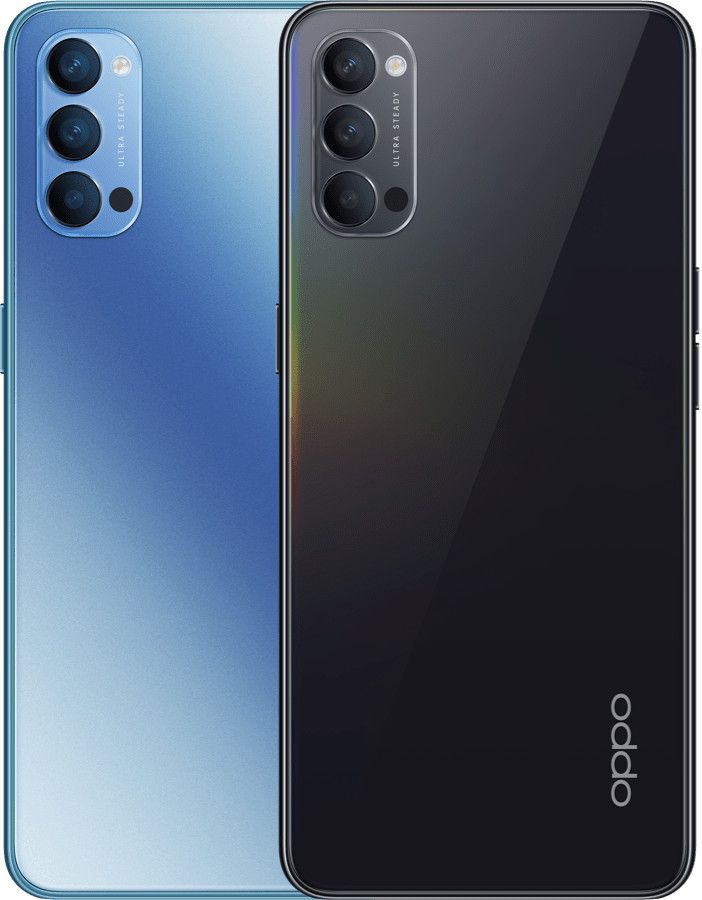
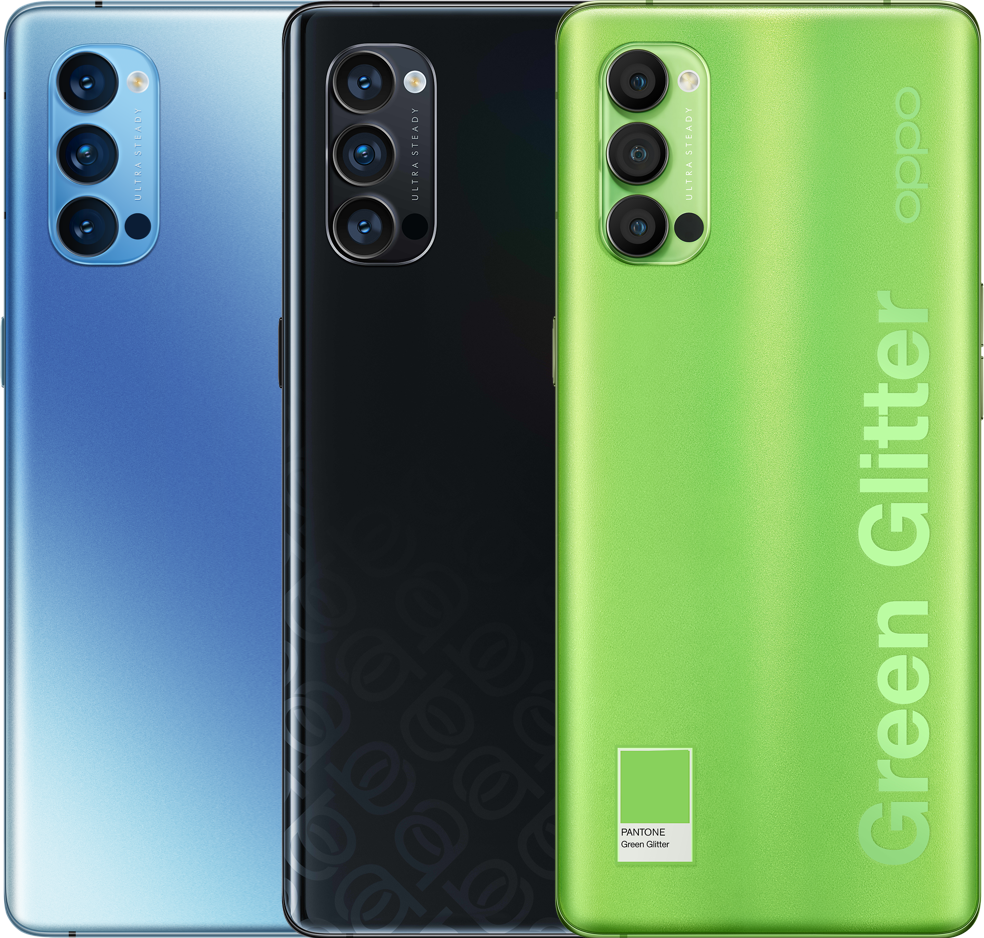
OPPO brings the Reno4 Pro 5G, Reno4 5G, and Reno4 Z 5G to the UK

OPPO recently launched its Reno4 lineup as part of its Reno series, which launches roughly twice a year. And these devices offer a pretty good value, all things considered. But since the launch of the OPPO Reno3 lineup, they’ve been taking a (sort of) different approach to the way they launch devices globally. The phone that launched as the Reno3 Pro in India and other markets, for example, is way different than the one that launched as the Reno3 Pro in China. That device launched as the Find X2 Neo globally. A similar thing happened with the Reno4 in how the Pro variant launched in India with a Snapdragon 720G and quad rear cameras. Now, though, the same Reno4 phones that launched in China earlier this year are launching in the UK as the Reno4 Pro 5G and the Reno4 5G, as well as the newer Reno4 Z 5G.

Both 5G versions of the Reno4 Pro and the Reno4 are identical to the devices that launched in China earlier. That means that the quad rear camera setup in the Reno4 Pro is replaced for a triple one instead, and the Snapdragon 720G is replaced for the more powerful, and 5G capable, Snapdragon 765G. Of course, these devices’ headlining feature is 5G, and 5G needs an SoC that’s up for the task. Otherwise, though, the phones are pretty similar: The Pro variant has a curved 90Hz display, the regular variant has a flat 60Hz one, and both of them have hole-punch panels.

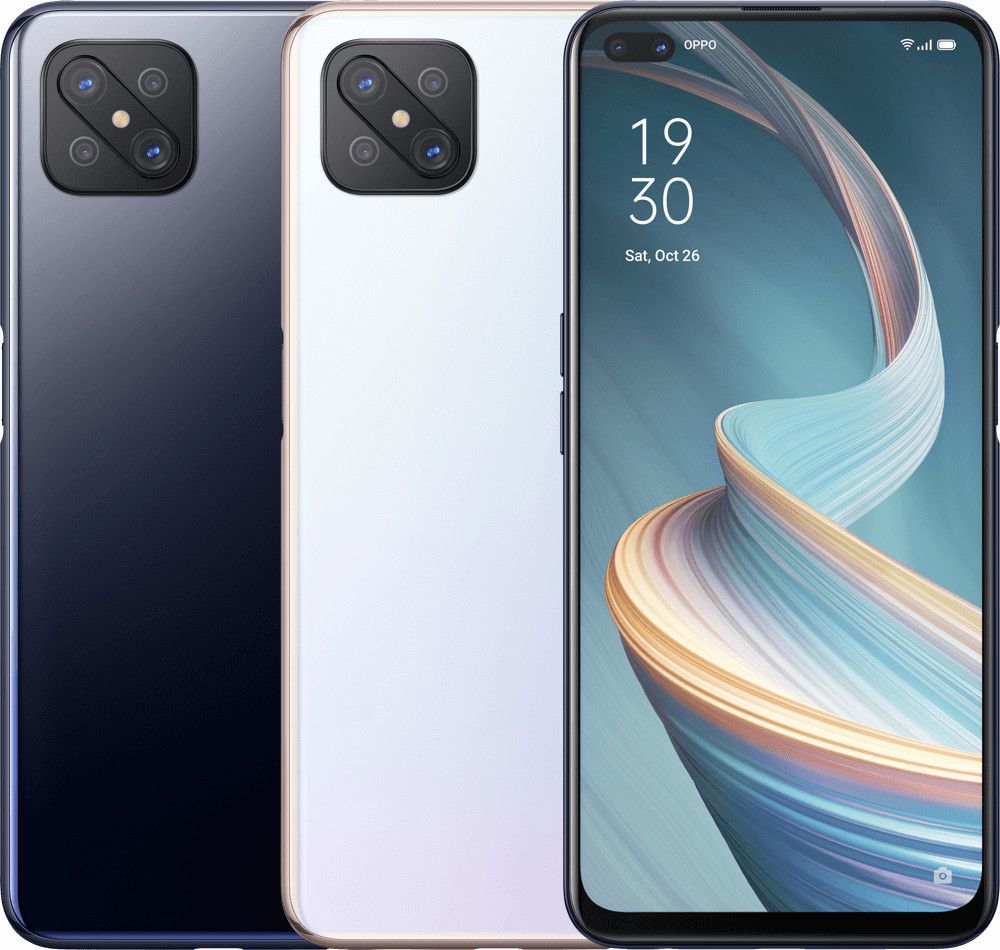
The Reno4 Z 5G, though, was actually just announced in China a couple of days back, and it’s actually just a rebrand of the OPPO A92s. It comes with a MediaTek Dimensity 800 processor which is also 5G-capable, 8 GB of RAM, 128 GB of storage, a different design language (with a square camera bump), and, the fastest refreshing display of the bunch at 120Hz (though it has an LCD instead of an AMOLED panel like the other two). It does come with a few downsides, though: Whereas the Reno4 Pro and the Reno4 feature 65W SuperVOOC 2.0, the Reno4 Z has a more conventional 18W charger.

OPPO Reno4 5G OPPO Reno4 Pro 5G OPPO Reno4 Z 5G

Both the Reno4 and Reno4 Pro 5G are running Android 10 with ColorOS 7.2 out of the box, while the Reno4 Z 5G is running Android 10-based ColorOS 7.1. These devices will be among the first in line to get ColorOS 11 based on Android 11 when it rolls out more widely.

OPPO Reno4 5G Product Page ||| OPPO Reno4 Pro 5G Product Page ||| OPPO Reno4 Z 5G Product Page

OPPO Reno4 5G, Reno4 Pro 5G, Reno4 Z 5G: Specifications

Specifications OPPO Reno4 5G (CPH2091) OPPO Reno4 Pro 5G (CPH2089) OPPO Reno4 Z 5G (CPH2065)
Dimensions and Weight
  • 159.3 x 74.0 x 7.8mm
  • 183g
  • 159.6 x 72.5 x 7.6mm
  • 172g
  • 163.8 x 75.5 x 8.1mm
  • 184g
Display
  • 6.4″ AMOLED
  • 2400×1080 resolution
  • Flat display
  • 60Hz refresh rate
  • 409PPI
  • Dual hole-punch
  • 6.5″ AMOLED
  • 2400×1080 resolution
  • Curved display
  • 90Hz refresh rate
  • 402PPI
  • Single hole-punch
  • 6.57″ LCD
  • 2400×1080 resolution
  • Curved display
  • 120Hz refresh rate
  • 401PPI
  • Dual hole-punch
CPU and GPU
  • Qualcomm Snapdragon 765G
    • 1x Kryo 475 (ARM Cortex-A76-based) Prime core @ 2.4GHz
    • 1x Kryo 475 (ARM Cortex-A76-based) Performance core @ 2.2GHz
    • 6x (ARM Cortex-A55-based) Efficiency cores @ 1.8GHz
    • 7nm EUV process
  • Adreno 620 GPU @ 625 MHz
  • Qualcomm Snapdragon 765G
    • 1x Kryo 475 (ARM Cortex-A76-based) Prime core @ 2.4GHz
    • 1x Kryo 475 (ARM Cortex-A76-based) Performance core @ 2.2GHz
    • 6x (ARM Cortex-A55-based) Efficiency cores @ 1.8GHz
    • 7nm EUV process
  • Adreno 620 GPU @ 625 MHz
  • MediaTek Dimensity 800
    • 4x ARM Cortex-A76 @ 2GHz
    • 4 ARM Cortex-A55 @ 2GHz
    • TSMC’s 7nm process (N7)
  • ARM Mali-G57MC4 GPU
Storage and RAM
  • 8GB + 128GB
  • 12GB + 256GB
  • 8GB + 128GB
Battery and Charging
  • 2x2010mAh cells (4020 mAh total)
  • 65W SuperVOOC 2.0 fast charging
  • 2x2000mAh cells (4000 mAh total)
  • 65W SuperVOOC 2.0 fast charging
  • 4000mAh
  • 18W charging
Rear Camera
  • Primary: 48MP, Sony IMX589, f/1.7, 1.20″ sensor
  • Secondary: 8MP, ultra-wide-angle, 119° FoV, f/2.2
  • Tertiary: 2MP, monochrome camera, f/2.4
  • Laser AF
  • Video: 4K@30, 1080p@30/60, 720p@30/60
  • Slow motion: 1080p@120, 720p@240
  • Primary: 48MP, Sony IMX586, f/1.7, 1.20″ sensor, OIS
  • Secondary: 12MP, Sony IMX708, ultra-wide-angle, night scene video camera, 120° FoV, 1/2.43″ sensor, 1.4μm pixel size pre-binning
  • Tertiary: 13MP, telephoto camera, f/2.4
  • Laser AF
  • Video: 4K@30, 1080p@30/60, 720p@30/60
  • Slow motion: 1080p@120, 720p@240
  • Primary: 48MP
  • Secondary: 8MP wide-angle lens
  • Tertiary: 2MP black-and-white monochrome lens
  • Quaternary: 2MP vintage portrait monochrome lens
  • Video: 4K@30, 1080p@30, 720p@30
Front Camera
  • Primary: 32MP, f/2.4
  • Secondary: 2MP, f/2.4
  • Video: 1080p@30, 720p@30
  • Primary: 32MP, f/2.4
  • Video: 1080p@30, 720p@30
  • Primary: 16MP
  • Secondary: 2MP depth sensor
  • Video: 1080p@30, 720p@30
Security Optical under-display fingerprint scanner Optical under-display fingerprint scanner Side-mounted fingerprint scanner
Sensors Geomagnetic sensor, optical proximity sensor, ambient light sensor, accelerometer, gravity sensor, gyroscope, pedometer Geomagnetic sensor, optical proximity sensor, ambient light sensor, accelerometer, gravity sensor, gyroscope, pedometer Magnetic sensor, light sensor, proximity sensor, gravity sensor/accelerometer, other sensors
Ports USB Type-C

No 3.5mm headphone jack

USB Type-C

No 3.5mm headphone jack

USB Type-C

Has 3.5mm headphone jack

Connectivity
  • Qualcomm Snapdragon X52 5G modem (SA/NSA Dual Mode)
  • SIM 1 (primary SIM)
    • 5G: n1/n3/n5/n7/n8/n20/n28/n38/n40/n41/n77/n78
    • 4G(TD-LTE): B38/B39/B40/B41/B42
    • 4G(FDD-LTE): B1/B2/B3/B4/B5/B7/B8/B12/B17/B18/B19/B20/B26/B28/B32/B66
    • 3G(WCDMA): B1/B2/B4/B5/B6/B8/B19
    • 2G(GSM): 850/900/1800/1900MHz
  • SIM 2 (Secondary SIM)
    • 4G(TD-LTE): B38/B39/B40/B41/B42
    • 4G(FDD-LTE): B1/B2/B3/B4/B5/B7/B8/B12/B17/B18/B19/B20/B26/B28/B32/B66
    • 3G(WCDMA): B1/B2/B4/B5/B6/B8/B19
    • 2G(GSM): 850/900/1800/1900MHz
  • WLAN: 2.4G/5.1G/5.8G; Wi-Fi Display; MU-MIMO supported
  • Bluetooth Version: Bluetooth v5.1
  • Bluetooth Audio: SBC/AAC/APTX/APTX-HD/APTX-TWS/LDAC
  • GNSS: Built-in GPS that supports A-GPS, BeiDou, GLONASS, Galileo, QZSS
  • NFC: Android Beam supported, HCE/UICC supported
  • Qualcomm Snapdragon X52 5G modem (SA/NSA Dual Mode)
  • SIM 1 (primary SIM)
    • 5G: n1/n3/n5/n7/n8/n20/n28/n38/n40/n41/n77/n78
    • 4G(TD-LTE): B38/B39/B40/B41/B42
    • 4G(FDD-LTE): B1/B2/B3/B4/B5/B7/B8/B12/B17/B18/B19/B20/B26/B28/B32/B66
    • 3G(WCDMA): B1/B2/B4/B5/B6/B8/B19
    • 2G(GSM): 850/900/1800/1900MHz
  • SIM 2 (Secondary SIM)
    • 4G(TD-LTE): B38/B39/B40/B41/B42
    • 4G(FDD-LTE): B1/B2/B3/B4/B5/B7/B8/B12/B17/B18/B19/B20/B26/B28/B32/B66
    • 3G(WCDMA): B1/B2/B4/B5/B6/B8/B19
    • 2G(GSM): 850/900/1800/1900MHz
  • WLAN: 2.4G/5.1G/5.8G; Wi-Fi Display; MU-MIMO supported
  • Bluetooth Version: Bluetooth v5.1
  • Bluetooth Audio: SBC/AAC/APTX/APTX-HD/APTX-TWS/LDAC
  • GNSS: Built-in GPS that supports A-GPS, BeiDou, GLONASS, Galileo, QZSS
  • NFC: Android Beam supported, HCE/UICC supported
  • SIM Card 1:
    • GSM: 850/900/1800/1900MHz
    • WCDMA: Bands 1/2/4/5/6/8/19
    • FDD-LTE: Bands 1/2/3/4/5/7/8/12/17/18/19/20/26/28/66
    • TD-LTE: Bands 38/39/40/41
    • 5G NR: n77/78/38/40/41/1/3/5/7/8/20/28
  • SIM Card2:
    • GSM: 850/900/1800/1900MHz
    • WCDMA: Bands 1/2/4/5/6/8/19
    • FDD-LTE: Bands 1/2/3/4/5/7/8/12/17/18/19/20/26/28/66
    • TD-LTE: Bands 38/39/40/41
    • 5G NR: n77/78/38/40/41/1/3/5/7/8/20/28
  • WLAN: WLAN 2.4G, WLAN 5.1G, WLAN 5.5G, WLAN 5.8G, WLAN Display
  • Bluetooth Version:Bluetooth v5.1
  • Bluetooth Audio Codec:SBC, AAC, aptx, aptx HD, LDAC
  • GNSS: (Beidou), GPS, GLONASS, GALILEO, QZSS
  • NFC:HCE, NFC-SIM
Software ColorOS 7.2 based on Android 10 ColorOS 7.2 based on Android 10 ColorOS 7.1 based on Android 10


The post OPPO brings the Reno4 Pro 5G, Reno4 5G, and Reno4 Z 5G to the UK appeared first on xda-developers.


from xda-developers https://ift.tt/33mt7pl
via IFTTT

Thursday, October 1, 2020

Win a Google Pixel 4a [Open to all Countries]

The Google Pixel 4a is one of the newest Pixel phones from Google in 2020. This 5.81″ phone has an OLED display at a 1080x2340p resolution. The Qualcomm SDM730 Snapdragon 730G chipset is paired with 6GB of RAM and 128GB of storage. There’s a 13MP back camera and an 8MP selfie camera for taking amazing photos with HDR+. Everything is powered by the 3140mAh battery with 18w fast charging.

This is your chance to win the new Google Pixel 4a for yourself. When you get this phone, you’ll be one of the first to experience the Android 11 update! Use the form below to enter this giveaway.

Win a Pixel 4a (open to all countries!)


We thank HUAWEI for sponsoring this post. Our sponsors help us pay for the many costs associated with running XDA, including server costs, full time developers, news writers, and much more. While you might see sponsored content (which will always be labeled as such) alongside Portal content, the Portal team is in no way responsible for these posts. Sponsored content, advertising and XDA Depot are managed by a separate team entirely. XDA will never compromise its journalistic integrity by accepting money to write favorably about a company, or alter our opinions or views in any way. Our opinion cannot be bought.

The post Win a Google Pixel 4a [Open to all Countries] appeared first on xda-developers.


from xda-developers https://ift.tt/2EPo6fj
via IFTTT

Microsoft refreshes the Surface Pro X with the Microsoft SQ2 processor based on Qualcomm’s Snapdragon 8cx Gen 2

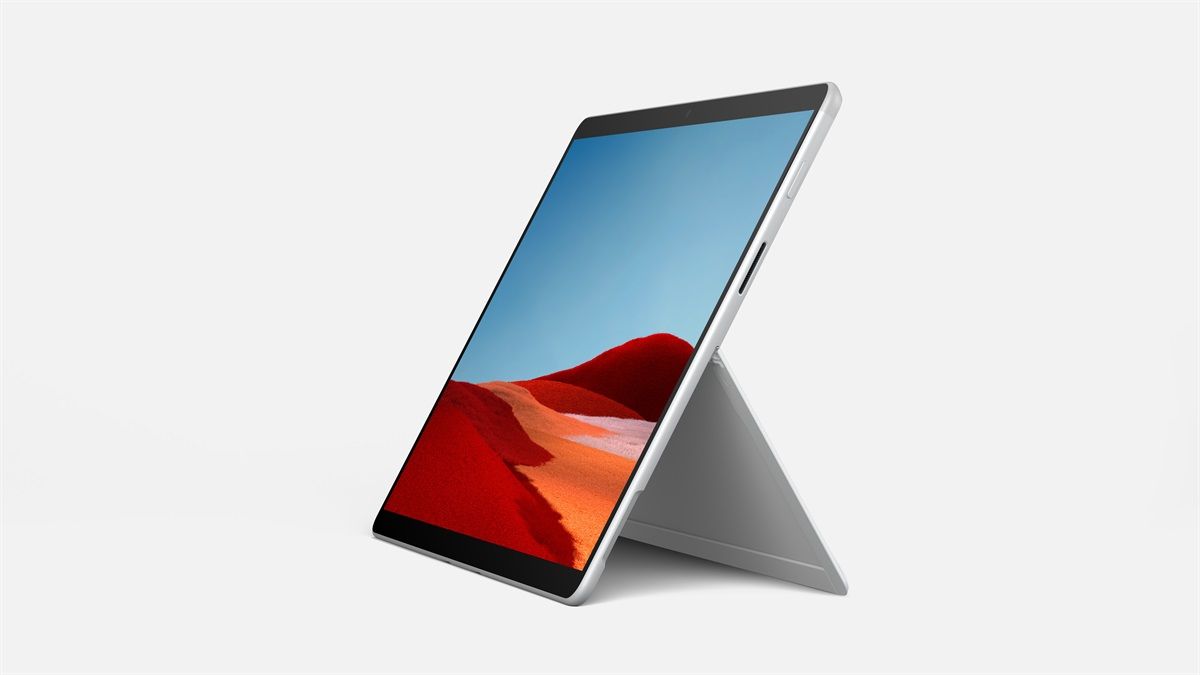
Early last month we learned that Microsoft was working on a refresh for last year’s Surface Pro X. At the time, sources familiar with the matter had revealed that the Surface Pro X refresh would feature the same design, but it will be offered in a new ‘Platinum’ color variant with new Type Cover color options. We’d also learned that the device would feature Microsoft’s new SQ2 processor. Now, the company has finally lifted the covers off the new Surface Pro X and it’s exactly what we expected.

Microsoft has essentially upgraded the top-end SKUs of last year’s Surface Pro X with its new SQ2 processor and introduced a new Platinum color option for the device. The base variants of the Surface Pro X will still feature the older SQ1 processor and they’ll be sold alongside the new Surface Pro X. As expected, Microsoft’s new SQ2 processor was designed in collaboration with Qualcomm and it’s based on the company’s Snapdragon 8cx Gen 2 platform.

Microsoft Surface Pro X Microsoft Surface Pro X Microsoft Surface Pro X

Microsoft claims that its new SQ2 chip is the fastest processor in its class, which is capable of offering better performance while using less battery. To further improve the Surface Pro X’s performance, Microsoft has also made some enhancements to Windows on ARM. These include updates and optimizations to the Visual Studio Code for Windows on ARM, which is expected to boost overall performance and increase battery life (up to 15 hours) across all Surface Pro X configurations (including the ones powered by Microsoft’s SQ1 chip).

Microsoft Surface Pro X

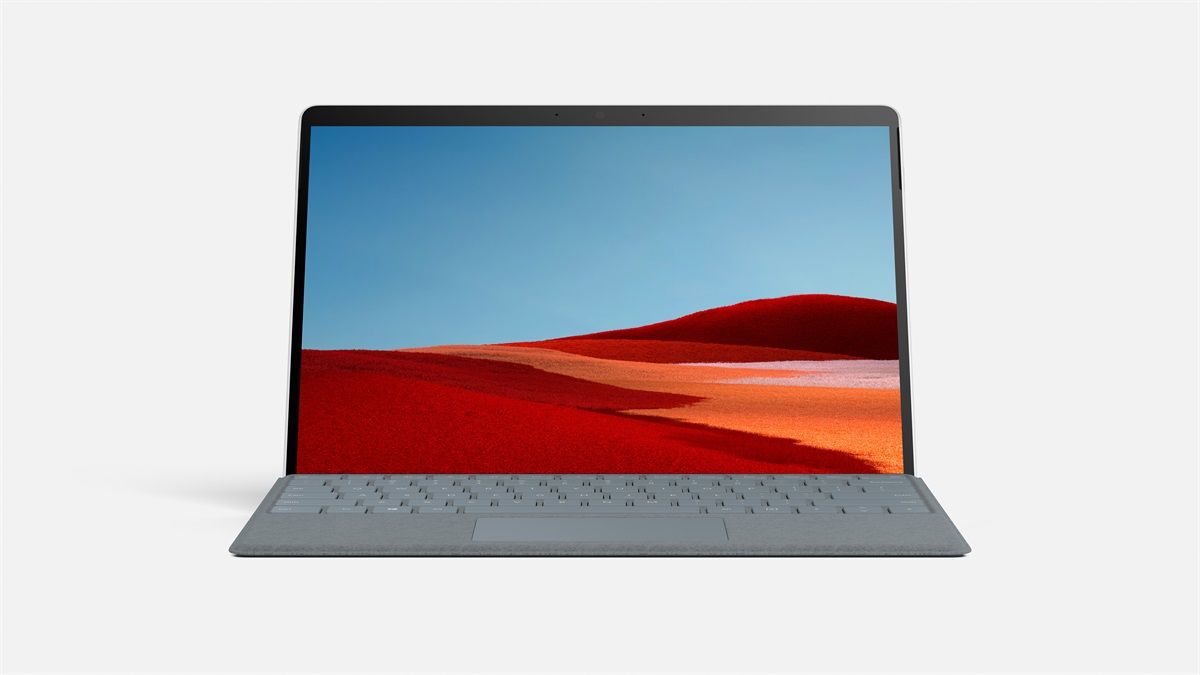
Along with the new Surface Pro X and the Surface Laptop Go, Microsoft unveiled three new colors for the Signature Keyboard — Platinum, Ice Blue, and Poppy Red — at the event.

Microsoft Microsoft Microsoft

The company also unveiled the new Designer Compact Keyboard, a wireless Number Pad, a 4K Wireless Display Adapter, a Bluetooth Ergonomic Mouse, and a new Sandstone color variant for the Microsoft Modern Mobile Mouse.

Pricing & Availability

The updated Microsoft Surface Pro X with the company’s new SQ2 processor is already up for pre-order on the Microsoft Store in select regions. The device is priced starting at $1,499.99, and it will be available across other retailers starting from October 13th.

The new Microsoft Designer Compact Keyboard is priced at $69.99, the new wireless Number Pad is priced at $24.99, the 4K Wireless Display Adapter is priced at $69.99, and the new Bluetooth Ergonomic Mouse is priced at $49.99. As of now, the company hasn’t released the availability information for these accessories.

The post Microsoft refreshes the Surface Pro X with the Microsoft SQ2 processor based on Qualcomm’s Snapdragon 8cx Gen 2 appeared first on xda-developers.


from xda-developers https://ift.tt/30phYBZ
via IFTTT

The Microsoft Surface Laptop Go costs $549 and features Intel’s 10th-gen i5 processor

Almost exactly a year after hosting its big Surface event, where the company unveiled the Surface Duo, Surface Pro 7, and Surface Laptop 3, Microsoft today announced a couple of new products for its Surface lineup. One of the most noteworthy products announced today is the new Surface Laptop Go — the company’s most affordable laptop so far. Powered by Intel’s 10th generation Core i5 processor, the Surface Laptop Go is expected to take the thin-and-light notebook market by storm, especially due to its affordable price tag.

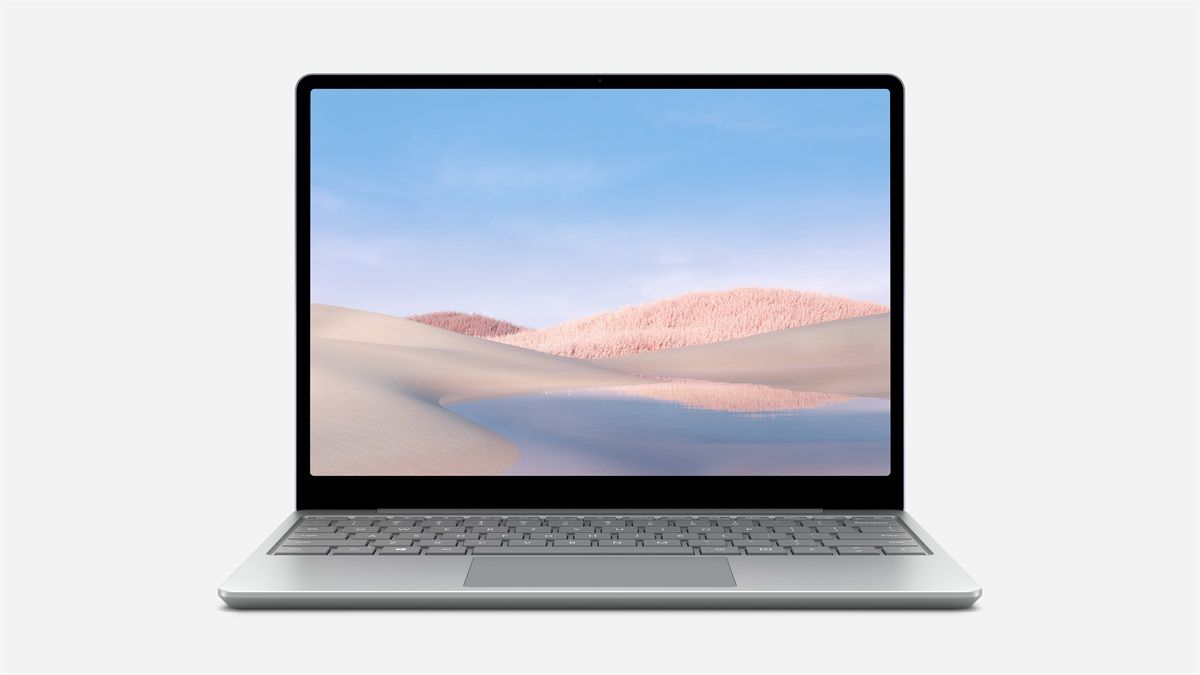
The Microsoft Surface Laptop Go features a clean, minimal design akin to other notebooks in Microsoft’s Surface lineup. And despite its affordable price tag, it offers a sleek and durable metal finish that gives it a premium feel. The laptop packs in a 12.4-inch PixelSense touchscreen with narrow bezels, an aspect ratio of 3:2, and a resolution of 1536 x 1024 pixels.

Microsoft Surface Laptop Go Microsoft Surface Laptop Go

It features a full-size keyboard that offers 1.3mm of key travel for a comfortable typing experience, along with a large precision trackpad right underneath.

Microsoft Surface Laptop Go Microsoft Surface Laptop Go

Much like other products in the Surface Laptop lineup, the Surface Laptop Go also comes with a fingerprint scanner built into the power butter for Windows Hello biometric authentication. The fingerprint scanner will also support one-touch sign-in for other Microsoft services like OneDrive Personal Vault. Sadly though, the base model doesn’t include the fingerprint power button.

Microsoft Surface Laptop Go

On the inside, the Surface Laptop Go packs in Intel‘s 10th-generation Core i5 1035G1 processor, up to 16GB of RAM (16GB limited to commercial SKUs), and up to 256GB of storage. While the base variant of the Surface Laptop Go only includes 4GB of RAM and 64GB of eMMC storage, Microsoft claims that all configurations of the laptop will feel snappy and fast. The laptop is rated for up to 13 hours of battery life on a single charge with fast charging support to help users quickly top up the battery to 80% in just one hour. However, the company hasn’t shared the exact capacity of the battery included in the laptop yet.

Microsoft Surface Laptop Go

In terms of I/O, the Microsoft Surface Laptop Go offers a USB Type-A port, a USB Type-C port, a 3.5mm headphone/microphone combo jack, and the Surface connector for charging. Other features include a 720p webcam, Studio Mics, Omnisonic speakers with Dolby Audio tuning, Wi-Fi 6, and Bluetooth 5.0. The laptop will be available in three color variants — Ice Blue, Sandstone, and Platinum.

Surface Laptop Go Pricing & Availability

The Surface Laptop Go starts at just $549 for the base 4GB/64GB variant. Microsoft is yet to reveal pricing information for other SKUs in the lineup. We’ll update this post with more information on pricing and specifications as soon as it’s released. The Surface Laptop Go will be available for pre-order on the Microsoft Store in the US today and it’s expected to reach other retail outlets by October 13th.

The post The Microsoft Surface Laptop Go costs $549 and features Intel’s 10th-gen i5 processor appeared first on xda-developers.


from xda-developers https://ift.tt/3cRdysD
via IFTTT